Migrating from QuickBooks to Odoo, a realistic playbook for mid-market companies
A detailed step-by-step playbook for migrating from QuickBooks Online or Desktop to Odoo ERP. Data model mapping, parallel run procedures, cutover rehearsal, typical gotchas, and recovery plans.
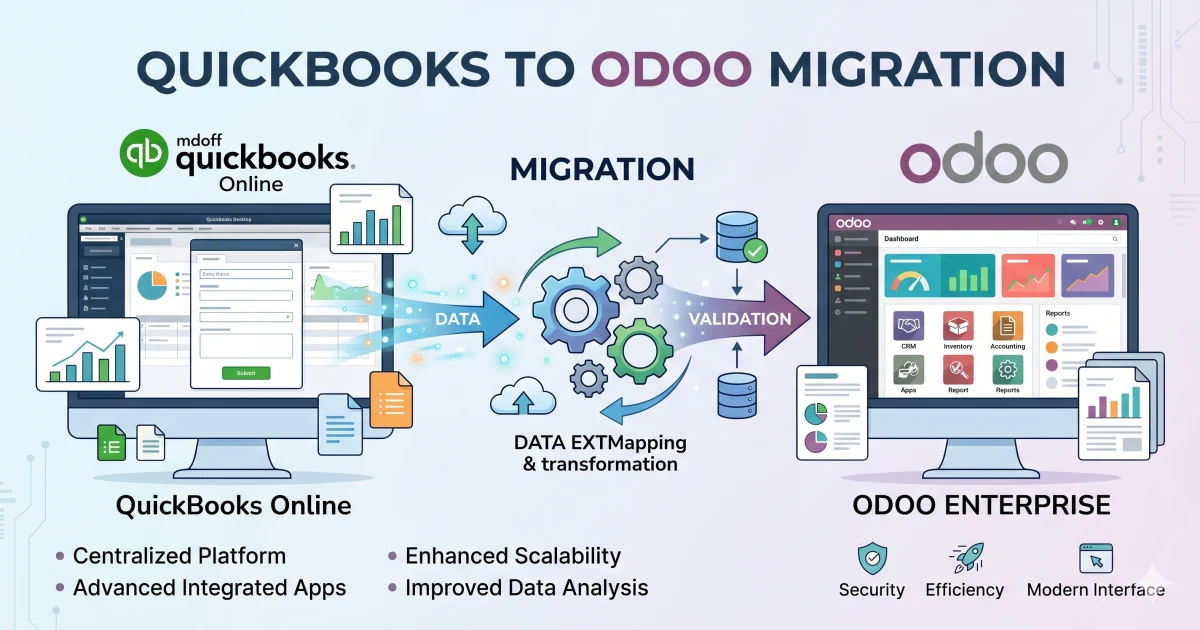
Who this playbook is for
Finance and operations leaders at mid-market companies (50-500 employees, $5M-$200M revenue) outgrowing QuickBooks. QuickBooks, Online or Desktop, is excellent for early-stage businesses with straightforward ops. The signs you've outgrown it:
- Multi-entity operations that QuickBooks can't consolidate without bolt-ons (LedgerGurus, FloQast)
- Multi-currency with real FX complexity
- Inventory exceeding QuickBooks Desktop's item-master capacity
- Manufacturing or light manufacturing with BOMs and routings
- Project accounting needs beyond QuickBooks' basic projects module
- Need for operational modules (CRM, sales, purchasing) in the same system as accounting
Migration from QuickBooks to Odoo is mature, well-trodden work. Here's our playbook.
The seven phases
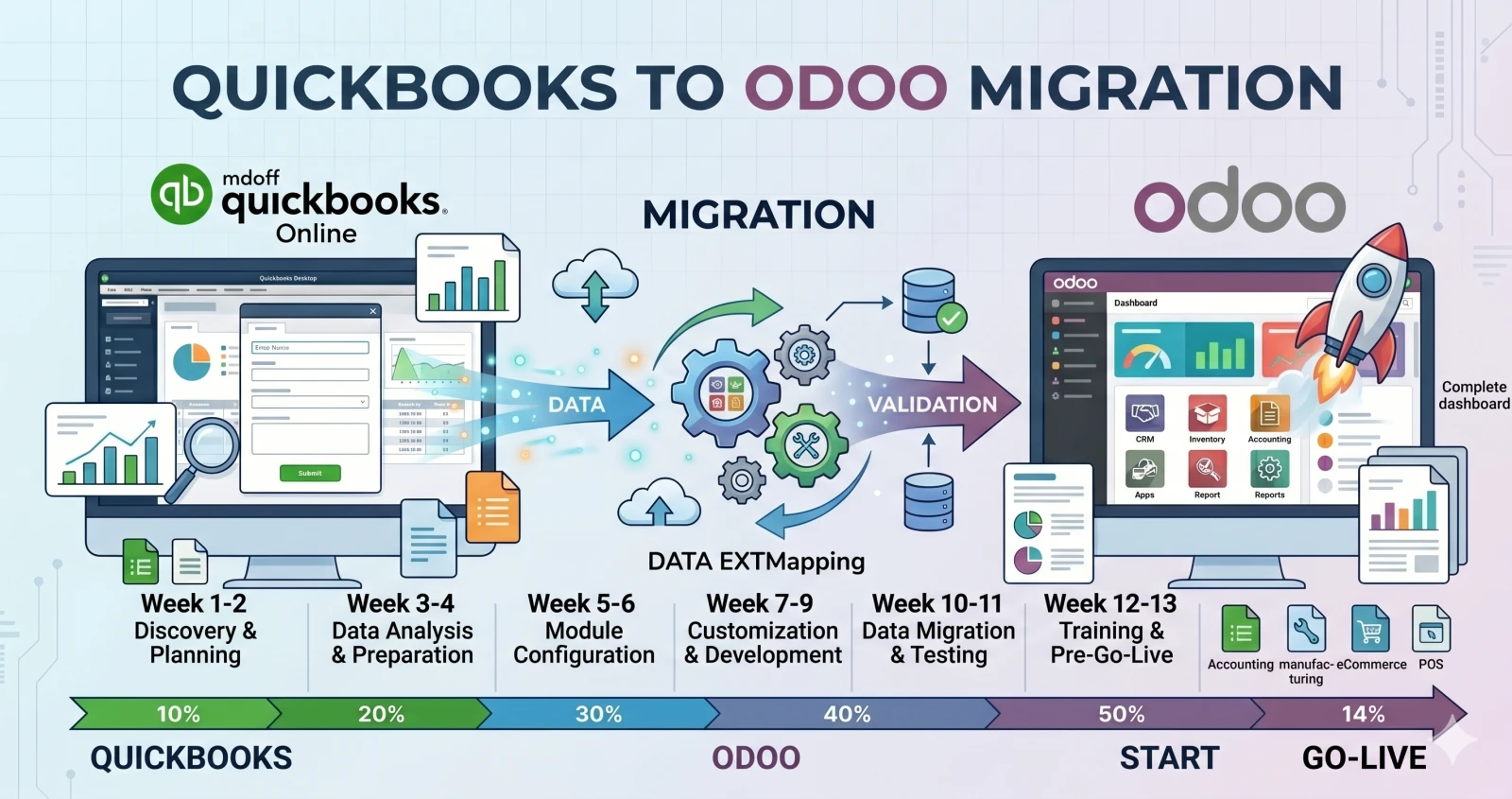
A typical QuickBooks → Odoo migration runs 10-16 weeks:
- Discovery (2-3 weeks), current-state mapping, chart-of-accounts cleanup, data audit
- Configuration (3-4 weeks), Odoo setup: chart, taxes, journals, fiscal periods, users
- Master data migration (1-2 weeks), customers, vendors, products, chart
- Open transaction migration (1 week), AR, AP, POs, SOs, stock positions
- Parallel run (2-4 weeks, optional but recommended), both systems running, daily reconciliation
- Cutover (1 weekend), lock QB read-only, final sync, Odoo becomes authoritative
- Hypercare (4-8 weeks), embedded support, issue triage, reconciliation assistance
Phase 1: Discovery (2-3 weeks)
Discovery is where migrations are won or lost. Document exactly what's in QuickBooks, identify data quality issues, and map every source element to an Odoo destination before writing migration scripts.
Process workshops: 6-10 workshops covering quote-to-cash, procure-to-pay, inventory, month-end close, and reporting. Output is a current-state document everyone signs. Explicit, not "what the policy says" but "what actually happens on a Tuesday morning."
Chart of accounts audit: QuickBooks charts accumulate cruft, duplicate accounts, "Misc" buckets, one-off creations. We review every account, categorize (keep, merge, retire), and produce a clean target chart.
Customer and vendor audit: QuickBooks master data is often duplicated ("ABC Corp," "ABC Corporation," "ABC Corp."). We deduplicate and produce cleaned master lists.
Product audit: For inventory businesses, product masters often have UOM, tax, and cost inconsistencies. We audit and produce cleaned catalog.
Historical transaction scope: Decide how much to migrate. We recommend migrating 2-3 years of transactions, keeping QuickBooks read-only for older data, and migrating summary balances rather than transaction detail for very old data.
Data quality issues you'll find
Every audit surfaces similar issues:
- Inconsistent sales tax codes across years
- Undeposited funds sitting for months
- Negative inventory positions
- Unreconciled bank transactions older than 6 months
- Open POs from closed vendors
- Duplicate customer records from spelling variations
- Zero-balance accounts from migrations or chart changes
Normal. Discovery is where you document the mess so you can clean during migration.
Phase 2: Odoo configuration (3-4 weeks)
Configuration happens in parallel with migration planning. Goal: set up Odoo to match target-state operations before data lands.
- Chart of accounts: Clean chart configured in Odoo. For groups with multiple legal entities, each entity is a separate company with its own chart and intercompany rules.
- Tax configuration: US sales tax, EU VAT, GCC VAT, UK MTD, Canadian GST/HST/PST, etc. For multi-state US sellers, we integrate Avalara or TaxJar.
- Journals and fiscal years: Sales, purchases, bank, misc journals. Fiscal year matching your reporting calendar.
- User roles: Odoo's RBAC is more granular than QuickBooks. Roles for accountant, controller, CFO, department manager, AP clerk with proper segregation of duties.
- Integrations: Shopify/WooCommerce, Stripe/Authorize.Net, Expensify/Concur, Gusto/ADP.
Phase 3: Master data migration (1-2 weeks)
Customer records: Export from QB, deduplicate, enrich with Odoo fields (tax ID, payment terms, credit limit), import into Odoo. Preserve QuickBooks customer ID as reference. Typical count: 500-10,000.
Vendor records: Similar process. QB "vendors" become Odoo "partners" with supplier flag. Enrich with 1099 status, bank details, payment preferences. Typical count: 100-3,000.
Product catalog: For inventory businesses, this is where work concentrates. Migrate descriptions, SKUs, barcodes, categories, UOMs with conversions, costing method, sales/purchase prices, tax, stock levels. Typical: 500-50,000 SKUs.
Chart of accounts: Final chart loaded with opening balances at zero, balances come later.
Phase 4: Open transactions (1 week)
Open transactions = transactions not complete at cutover date: open AR, open AP, open POs, open SOs, inventory positions.
What gets migrated:
- Open AR invoices: each becomes an Odoo invoice in "posted" state dated to original invoice date, balance matching QB
- Open AP bills: similar treatment for bills owed vendors
- Open sales orders: orders not yet fulfilled
- Open purchase orders: POs not yet received
- Inventory positions: current stock by warehouse location, valued at current cost
After migration: automated reconciliation reports verify that open AR, AP, and inventory in Odoo match QuickBooks on cutover date. Any discrepancy is investigated and resolved before parallel run.
Phase 5: Parallel run (2-4 weeks, optional)
Parallel run = operating both QuickBooks and Odoo for a defined period, recording same transactions in both, reconciling daily.
Catches three issue classes:
- Configuration mistakes that produce wrong numbers
- Process gaps where users are doing something Odoo wasn't configured for
- Training gaps where users are entering data differently than expected
Duration typically 2-4 weeks. Every transaction in both systems, daily reconciliation on key control totals (revenue, receivables, payables, inventory). By end, reconciliation should be clean.
We sometimes skip parallel run for simpler operations in favor of extensive UAT. Saves 2-4 weeks but raises risk slightly. We recommend parallel run for any complex accounting or multi-entity engagement.
Phase 6: Cutover weekend
The critical weekend when QuickBooks goes read-only and Odoo becomes authoritative. Always rehearsed twice before the real event.
Friday 5 PM: Finance team enters Friday transactions in QuickBooks. Final end-of-day close.
Friday 6 PM: QuickBooks locked to read-only. Users can read but not create.
Friday 6 PM - Sunday 2 PM: Final data migration runs. Extract QB, transform, load Odoo, validate automatically.
Sunday 2 PM - 6 PM: Manual reconciliation. Control totals must match exactly. CFO sign-off.
Sunday 6 PM: Go/no-go decision. If green, Odoo authoritative Monday morning. If red, rollback to QuickBooks and reschedule.
Monday 7 AM: Users log into Odoo. Hypercare on standby.
We've never had to rollback across 50+ recent migrations, because we rehearse. Rollback plan exists; we won't force a broken cutover into production.
Phase 7: Hypercare (4-8 weeks)
Intensive support post-go-live:
- Daily standups for first two weeks
- Dedicated Slack channel for real-time support
- Defined response SLAs (1-hour P1, 4-hour P2, next-day P3)
- Active bug fixing and workflow refinement
By end of hypercare (typically week 14-16), business operates normally on Odoo and we transition to support retainer.
The four gotchas
1. Sales tax mappings
QuickBooks' sales tax handling is a convention, not a rigorous model. Odoo's is rigorous. Mapping is one of the largest complexity sources. We treat it as a dedicated workstream; for multi-state US sellers we integrate Avalara to normalize rate determination.
2. Class tracking translation
QuickBooks' "classes" and "locations" are ad-hoc dimensions that don't map 1:1 to Odoo's analytic accounts. We design the analytic account structure preserving reporting capability using Odoo's native conventions.
3. Historical reports
Clients want every QB report still available post-migration. Some translate cleanly; others don't. We migrate balances and current state, keep QB read-only for 12-18 months for historical reference, and build new Odoo reports. Most clients find they don't need most legacy reports once operating on Odoo.
4. User expectations
QuickBooks is forgiving, users easily delete, backdate, recategorize. Odoo is stricter with audit trails, draft/posted states, approval workflows. Training explicitly covers the difference and why the stricter controls exist.
Typical cost and timeline
| Company size | Revenue | Timeline | Cost |
|---|---|---|---|
| Small mid-market | $5-20M | 10-14 weeks | $30-60K + $8-12K/yr |
| Mid-market | $20-80M | 12-18 weeks | $50-120K + $12-20K/yr |
| Upper mid-market | $80-200M | 16-24 weeks | $100-250K + $20-40K/yr |
Common questions
Can we migrate without a partner? Technically yes; practically no. Complexity of chart mapping, tax config, data cleanup, and cutover is substantial. DIY migrations fail expensively.
Big-bang or phased? Both work. Big-bang: faster, higher risk. Phased: reduces risk, extends timeline. We recommend big-bang for strong leadership and operational readiness; phased for change-management concerns.
What happens to QuickBooks data long-term? Read-only for 12-18 months post-migration for historical reference. Export final CSV/PDF dump for archival. For regulated industries with 7-year retention, we sometimes migrate complete history as read-only records.
Conclusion
QuickBooks → Odoo is mature work if done right. Key principles: clean data during discovery, migrate master data before transactions, rehearse cutover before executing, plan for 4-8 weeks hypercare.
If you're evaluating and want an honest assessment, talk to us.
Related reading: Real cost of Odoo implementation · Odoo for multi-entity groups · How to evaluate an Odoo implementation partner